
A comprehensive technical guide to understanding, configuring, and optimizing an IPTV encoder box. Learn about H.265 hardware, SRT streaming protocols, and how to choose the best broadcast encoder for your network.
Table of Contents of IPTV Encoder Box
Introduction of IPTV Encoder Box
Deploying an IPTV encoder box is the foundational step for any professional live broadcast, hospitality network, or streaming business. This dedicated hardware acts as the critical bridge between your raw video sources and your global audience. If your encoder fails or is improperly configured, your entire streaming infrastructure goes dark.
Modern broadcasting requires a deep understanding of video compression, network protocols, and hardware capabilities. Streaming engineers must constantly balance bitrate, resolution, and latency to deliver flawless video. Choosing the wrong hardware can lead to severe bottlenecks, dropped frames, and poor viewer experiences.
This elite 2026 guide provides everything you need to master your streaming hardware. We will thoroughly explore how an IPTV encoder box functions, compare crucial technologies like HEVC and SRT, and provide step-by-step configuration instructions to ensure your broadcast runs perfectly.
What Is an IPTV Encoder Box?
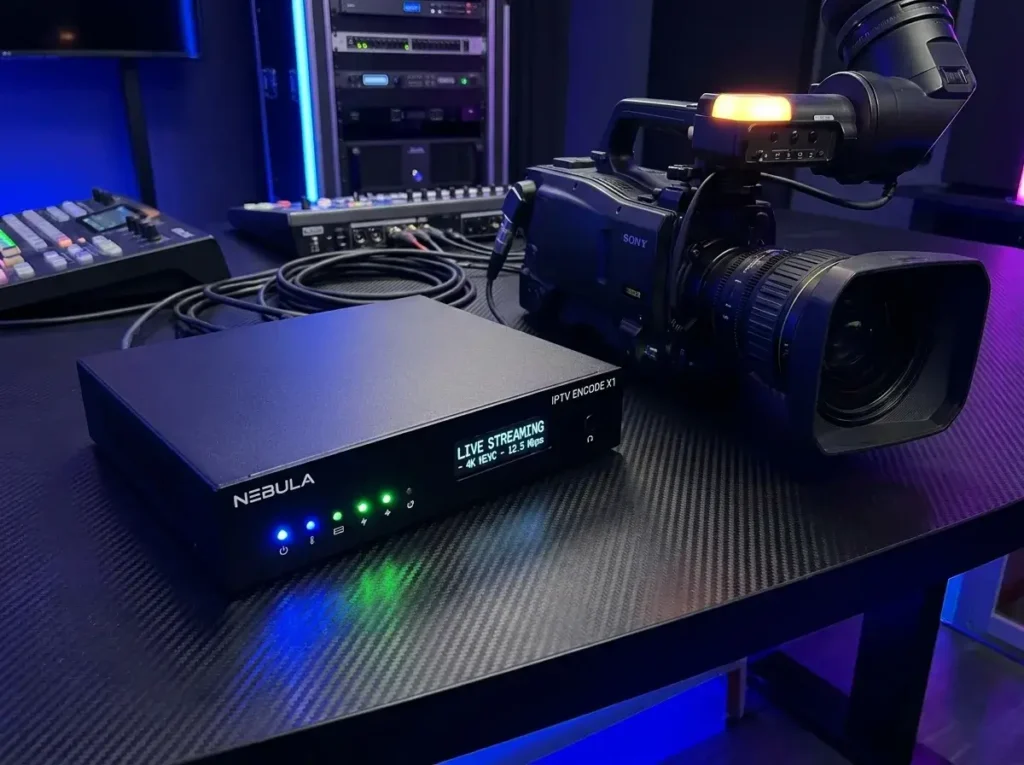
An IPTV encoder box is a dedicated hardware appliance that captures raw video and audio signals and compresses them into a digital format suitable for transmission over IP networks. It sits directly between your camera (or video switcher) and your streaming network.
Uncompressed video data from a camera is massively large and impossible to transmit over standard internet connections. The encoder solves this by utilizing mathematical algorithms, called codecs, to shrink the file size in real time. It removes redundant visual data without significantly degrading the image quality.
Once the video is compressed, the encoder packages it into a specific streaming protocol, such as RTMP, SRT, or MPEG-TS. The box then pushes this continuous digital stream to a local area network (LAN) or a global Content Delivery Network (CDN). Viewers can then access this feed using platforms like IPTV Smarters or TiviMate.
How an IPTV Encoder Box Works
An IPTV encoder box operates through a rapid, continuous four-step pipeline: Capture, Compression, Packetization, and Transmission. Understanding this workflow is vital for diagnosing latency and quality drops.
First, the device captures the raw signal through a physical port, typically an HDMI input or an SDI input. Second, the internal digital signal processor (DSP) applies a codec, such as H.264 or H.265, to compress the video frames. This step happens in milliseconds, requiring powerful internal hardware to maintain 60 frames per second.
Third, the compressed video and audio are packetized, meaning they are chopped into small, manageable data packets. Finally, the encoder transmits these packets via an Ethernet connection to your streaming server or network switch. The receiving device then decodes these packets back into a viewable television picture.
Hardware Encoder vs Software Encoder
A hardware IPTV encoder box is a standalone physical appliance built exclusively for video processing, while a software encoder is a program (like OBS Studio) installed on a standard computer. The choice depends entirely on your reliability needs.
Hardware encoders utilize dedicated microchips (ASICs) that perform only one task: encoding video. This makes them incredibly stable, power-efficient, and immune to standard computer crashes or background update interruptions. They are the industry standard for 24/7 continuous broadcasting and IPTV headends.
Software encoders offer limitless creative flexibility, allowing for custom graphic overlays and complex scene switching. However, they rely entirely on a computer’s CPU and GPU, making them prone to overheating and sudden software crashes during critical live events.
Comparison Table: Hardware vs Software Encoders
| Feature | Hardware IPTV Encoder Box | Software Encoder (e.g., OBS) |
| Reliability | Extremely High (24/7 Operation) | Moderate (Prone to OS crashes) |
| Form Factor | Compact, standalone appliance | Requires full PC/Laptop |
| Power Consumption | Very Low | High |
| Customization | Limited to built-in web UI | Infinite (Overlays, transitions) |
| Best Use Case | Broadcasters, Hotels, Churches | Gamers, Podcasters, YouTubers |
HDMI vs SDI iptv Encoder Boxes: Which Input Do You Need?
An HDMI IPTV encoder box is ideal for short cable runs and consumer-grade cameras, whereas an SDI encoder is strictly required for professional, long-distance broadcast environments. The physical connection determines the overall reliability of your physical setup.
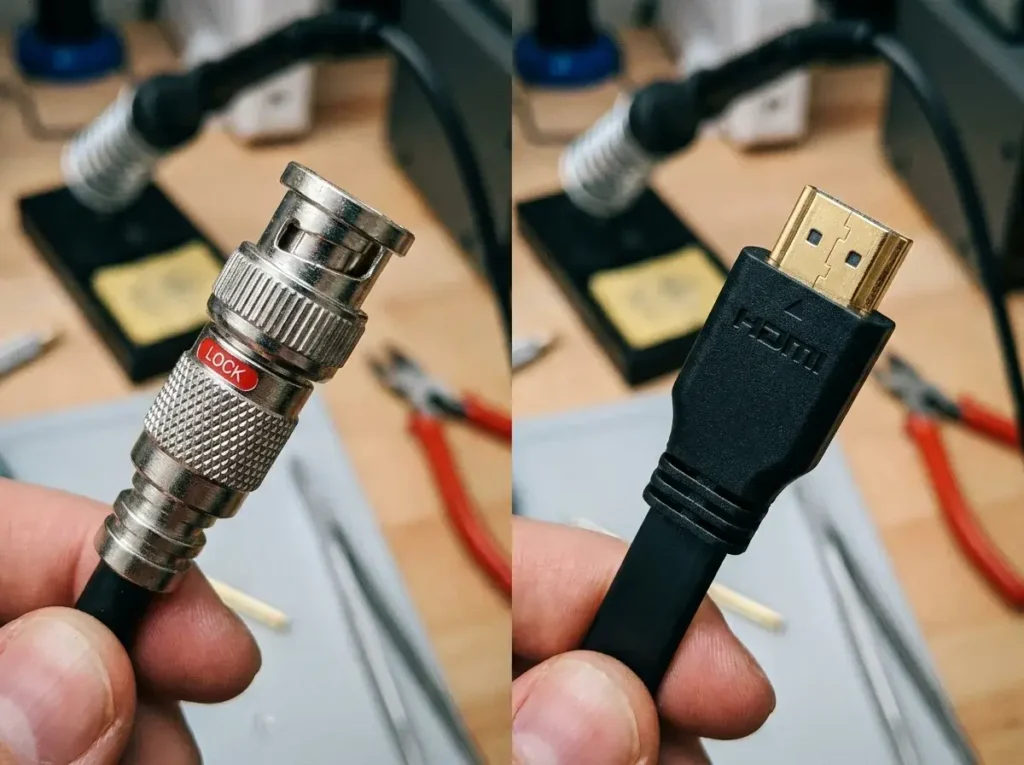
HDMI (High-Definition Multimedia Interface) cables are standard for laptops, gaming consoles, and prosumer cameras. However, HDMI signals degrade quickly after 50 feet and the connectors lack locking mechanisms, meaning they can easily be unplugged by accident.
SDI (Serial Digital Interface) utilizes robust coaxial cables with locking BNC connectors, making accidental disconnections almost impossible. Furthermore, an SDI encoder can receive uncompressed HD video signals from over 300 feet away without any signal loss.
Comparison Table: HDMI vs SDI iptv Encoder Boxes
| Feature | HDMI Encoder Box | SDI Encoder Box |
| Cable Type | Standard HDMI | Coaxial with BNC connector |
| Max Cable Length | ~50 feet (without repeaters) | 300+ feet |
| Connector Lock | No (Friction fit) | Yes (Twist-lock mechanism) |
| Cost | Generally Affordable | Premium / Professional Pricing |
| Best For | Desktop streaming, small venues | Stadiums, large studios, remote live TV |
Video Codecs Explained: H.264 vs H.265 vs AV1
The video codec determines how efficiently your IPTV encoder box compresses data. H.264 offers maximum compatibility, H.265 delivers superior compression for 4K, and AV1 is the royalty-free future of streaming.
An H.264 IPTV encoder (also known as AVC) is the legacy standard of the internet. Virtually every device manufactured in the last 15 years can decode H.264 seamlessly. However, it requires significant bandwidth, making it highly inefficient for streaming 4K resolutions.
An H.265 IPTV encoder (HEVC) is essential for modern broadcasting. H.265 requires 50% less bandwidth than H.264 to deliver the exact same visual quality. This is the mandatory standard for a 4K IPTV encoder box, allowing you to deliver cinematic quality over standard internet connections.
Comparison Table: H.264 vs H.265 vs AV1
| Codec | Compression Efficiency | Bandwidth Required for 4K | Hardware Compatibility |
| H.264 (AVC) | Standard | Extremely High (~35+ Mbps) | Universal (100% of devices) |
| H.265 (HEVC) | High | Moderate (~15-20 Mbps) | Very Good (Modern TVs & Phones) |
| AV1 | Exceptional | Low (~10-15 Mbps) | Emerging (Limited hardware support) |
Supported Streaming Protocols: RTMP, SRT, HLS, and UDP
(IPTV Encoder Box)
Streaming protocols are the delivery methods your video encoder box uses to transport packets over the network. Choosing the correct protocol dictates your stream’s latency, security, and reliability.
RTMP encoder protocols have been the industry standard for a decade. While universally supported by platforms like YouTube and Facebook, RTMP is based on old TCP technology and struggles heavily with packet loss on unstable networks.
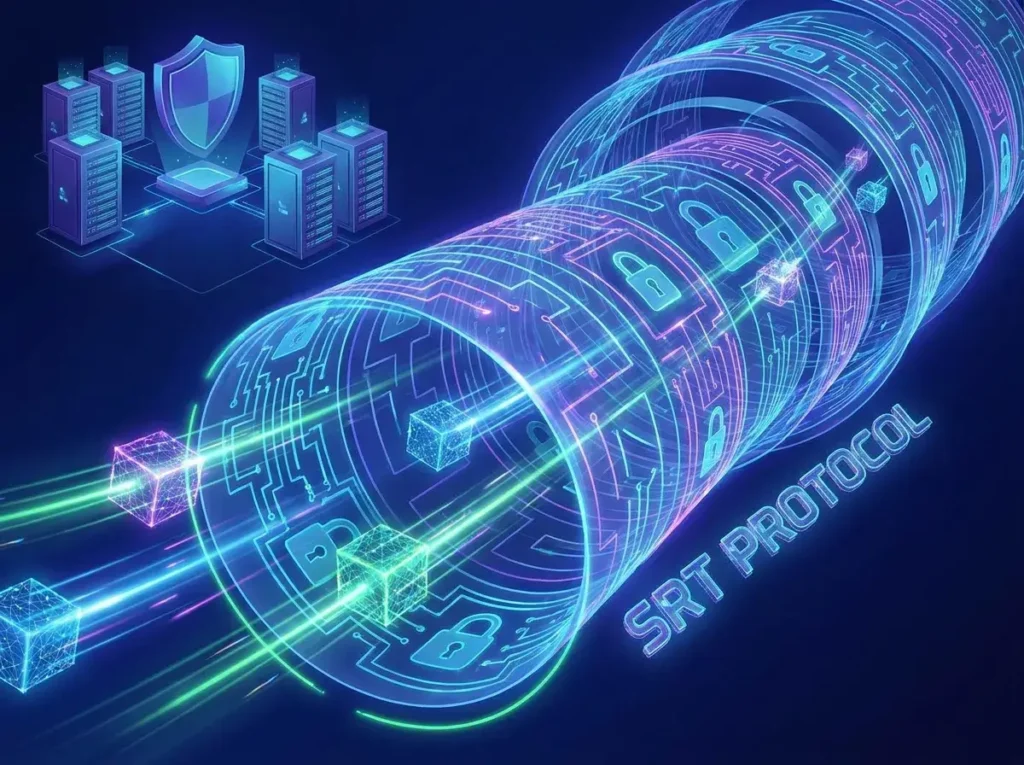
An SRT encoder utilizes Secure Reliable Transport, the modern replacement for RTMP. SRT intelligently recovers lost data packets in real-time and uses AES encryption, making it incredibly resilient over unpredictable public internet connections.
Comparison Table: RTMP vs SRT vs HLS
| Protocol | Latency | Packet Loss Recovery | Best Use Case |
| RTMP | Low (2-5 sec) | Poor | Direct streaming to social media |
| SRT | Ultra-Low (<1 sec) | Excellent | Professional remote contribution |
| HLS | High (10-30 sec) | Good | Final delivery to end-user viewers |
| UDP | Near Zero | None | Closed local networks (LAN IPTV) |
Single-Channel vs Multi-Channel iptv Encoder Boxes
When purchasing IPTV encoder hardware, you must decide between a single-channel unit or a multi-channel rackmount chassis. This decision relies entirely on the scale of your broadcasting operation.
A single-channel encoder box is small, portable, and captures one video source at a time. These are perfect for solo content creators, traveling videographers, or small churches streaming a single camera feed to the internet.
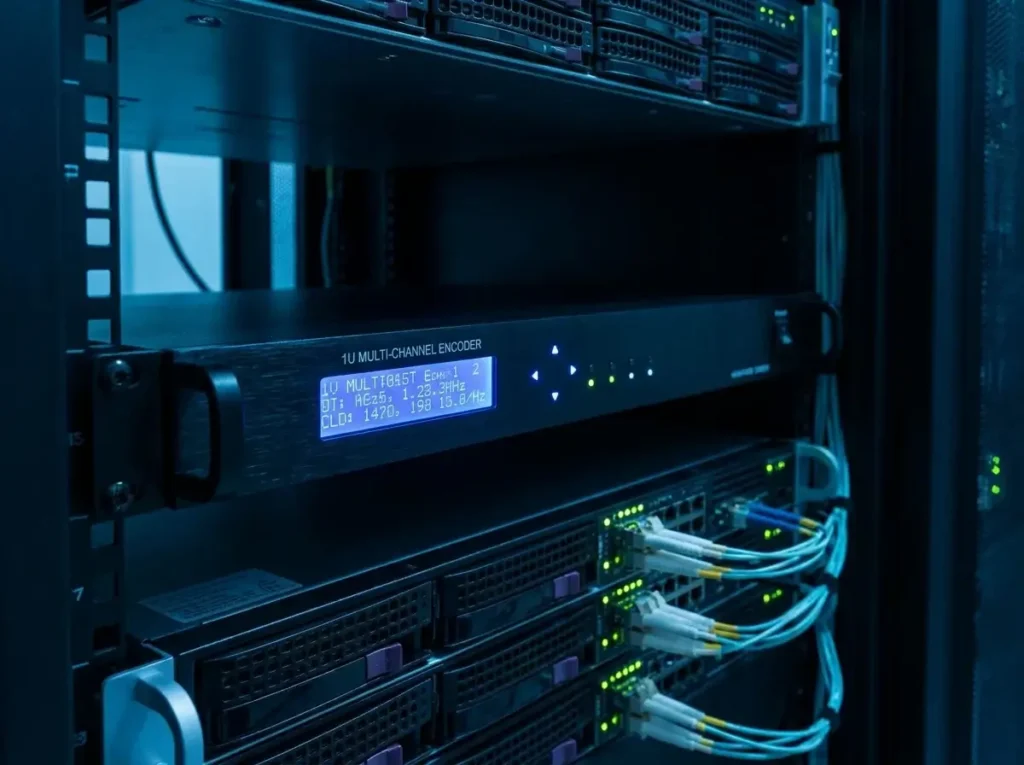
A multi-channel encoder (often a 1RU or 3RU rack-mountable chassis) can process anywhere from 4 to 16 video inputs simultaneously. These are heavily utilized by professional IPTV Providers, hotels, and sports broadcasting trucks to encode an entire network lineup at once.
Comparison Table: Single Channel vs Multi-Channel
| Feature | Single-Channel Encoder | Multi-Channel Encoder |
| Form Factor | Small, portable box | 1U – 3U Server Rack |
| Input Capacity | 1 to 2 ports | 4 to 16+ ports |
| Portability | High (Fits in a backpack) | Low (Fixed installation) |
| Price Point | $150 – $600 | $1,000 – $5,000+ |
Key Features to Look For Before Buying
To ensure you buy the best IPTV encoder box, you must look beyond basic marketing specs. Professional deployments require robust, specific features to guarantee uninterrupted broadcasting.
Simultaneous Multi-Protocol Output: The best encoders allow you to push different streams simultaneously. For example, you can push an SRT stream to your private IPTV Service server while simultaneously pushing an RTMP stream to YouTube Live.
Dual-Stream Encoding (Main & Sub-stream): Look for hardware that outputs a high-resolution main stream (e.g., 4K at 15 Mbps) and a lower-resolution sub-stream (e.g., 720p at 2 Mbps) at the same time. This is crucial for adaptive bitrate streaming.
Audio Format Support: Video is only half the battle. Ensure the encoder supports AAC (Advanced Audio Coding) and MP3 formats, with the ability to adjust audio sampling rates up to 48kHz to prevent audio drift.
Comprehensive Buying Guide for an IPTV Encoder Box
Choosing the right IPTV streaming encoder requires a thorough audit of your camera outputs, your network infrastructure, and your available upload bandwidth. There is no one-size-fits-all solution.
First, identify your input source. If you are using consumer camcorders, a basic HDMI encoder from brands like UrayCoder or FMUSER is highly cost-effective. If you are integrating with a professional vision mixer, you must purchase an SDI model.
Second, verify your network upload speed. If your internet is slow or unstable, you must prioritize an encoder that supports H.265 (HEVC) compression and the SRT protocol. This combination ensures high quality even on struggling networks.
Looking for expert IPTV streaming solutions or IPTV services? VisitIPTV Reseller TVor contact us on WhatsApp at +44 7853 146902 for professional guidance and IPTV solutions.
Real-World Applications for IPTV Encoders box
An IPTV broadcast encoder is not just for internet streaming; it powers a massive variety of commercial and private video distribution networks.
Hospitality and Hotels: Hotels use multi-channel encoders to capture satellite feeds and distribute them over the building’s local area network (LAN). This allows every guest room to receive hundreds of channels without individual cable boxes.
Houses of Worship: Churches rely heavily on hardware encoders to broadcast live sermons to congregants worldwide. Encoders provide a “set-and-forget” reliability that volunteer AV teams depend on.
Corporate Education and Signage: Large enterprises use encoders to broadcast CEO keynotes across global offices simultaneously. They also use them to push live video to digital signage screens in lobbies and cafeterias.
Step-by-Step Installation Guide
Setting up your new IPTV encoder box involves connecting physical hardware and establishing a secure network link. Follow this sequence carefully to ensure successful deployment.
- Physical Connections: Connect your camera or video switcher to the encoder’s HDMI or SDI input port.
- Network Connection: Connect the encoder directly to your network switch or router using a high-quality Cat6 Ethernet cable. Never rely on Wi-Fi for primary broadcasting.
- Power On: Plug in the DC power adapter and turn the device on. Wait for the status LEDs to indicate a successful network connection.
- Identify the IP Address: Locate the encoder’s IP address. This is usually printed on the bottom of the device as a default (e.g., 192.168.1.168) or can be found by logging into your router’s DHCP client list.
How to Configure an IPTV Encoder Box
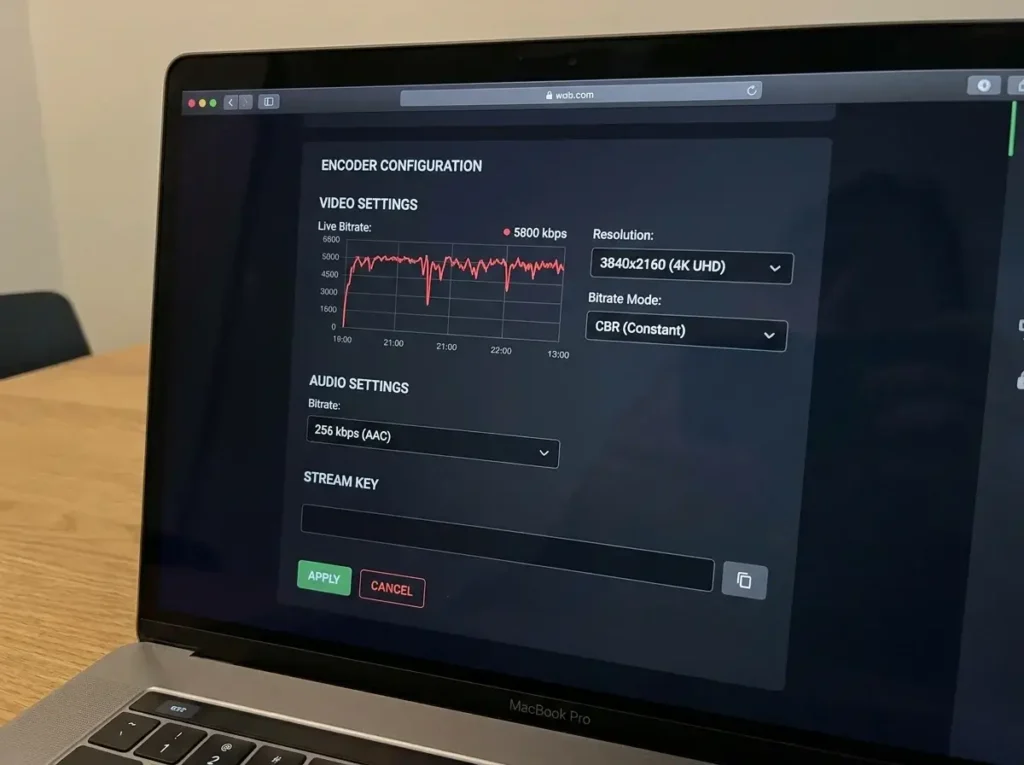
Once installed physically, you must access the device’s web interface to configure your live streaming encoder settings.
- Access the Web Dashboard: Type the encoder’s IP address into a web browser on a computer connected to the same network. Enter the default username and password (usually admin/admin).
- Set Video Parameters: Navigate to the encoding tab. Select H.264 or H.265. Set your resolution to match your camera output (e.g., 1920×1080) and set the frame rate (e.g., 30 or 60 fps).
- Configure Bitrate: Set the bitrate control to CBR (Constant Bitrate) for live streaming. Input your target bitrate (e.g., 6000 Kbps).
- Input Streaming Destination: Navigate to the stream output tab. Select your protocol (like RTMP). Paste the Server URL and Stream Key provided by your CDN, YouTube, or private IPTV Subscription provider. Click “Apply” and “Start.”
Bitrate and Resolution Recommendations
Configuring the correct bitrate on your HEVC IPTV encoder is the most critical factor in preventing pixelation and macroblocking. You must balance quality against your available upload speed.
Your total internet upload speed must be at least 40% higher than your encoder’s target bitrate. If you set the bitrate higher than your network can handle, the stream will instantly drop frames and buffer for viewers.
Quick Bitrate Reference Guide
- 720p at 30fps (H.264): 2,500 – 4,000 Kbps
- 1080p at 30fps (H.264): 4,500 – 6,000 Kbps
- 1080p at 60fps (H.264): 6,000 – 9,000 Kbps
- 4K Ultra HD at 30fps (H.265): 15,000 – 25,000 Kbps
- 4K Ultra HD at 60fps (H.265): 25,000 – 35,000 Kbps
Common IPTV Encoder box Problems
Even the best video encoder box can encounter technical issues. Being able to identify these problems quickly will save your live broadcast.
The Stream is Stuttering or Buffering: This means your encoder is pushing data faster than your internet connection can upload it. You must immediately lower your video bitrate in the web interface by 20% to stabilize the feed.
Audio and Video are Out of Sync (Audio Drift): This occurs when the audio sampling rate of your camera does not match the encoder. If your camera outputs audio at 48kHz, ensure the encoder’s audio settings are strictly locked to 48kHz, not 44.1kHz.
No Video Input Detected: The encoder displays a color bar or blank screen. Ensure your camera’s output resolution matches the exact resolution the encoder is expecting. Some encoders cannot downscale mixed resolutions automatically.
Advanced Troubleshooting Guide
When basic fixes fail, streaming engineers must dive deeper into the network configuration of their IPTV encoder hardware.
Port Forwarding Issues: If you are trying to pull a stream directly from the encoder over the public internet (WAN) using protocols like SRT or HTTP, you must configure Port Forwarding on your main network router. Without forwarding the specific port (e.g., 8080 or 8900), external devices like TiviMate will not be able to breach your firewall.
Multicast Network Flooding: If you are using UDP Multicast on a local hotel or corporate network, the video traffic can overwhelm the network, shutting down regular internet access. Ensure your network switches have “IGMP Snooping” enabled to route the video traffic only to ports that explicitly request it.
Overheating and Thermal Throttling: Hardware encoders placed in unventilated server racks or direct sunlight will overheat. The internal chip will throttle its performance, causing massive macroblocking and eventual shutdown. Keep the units actively cooled.
Expert Tips and Configuration Best Practices
To achieve true broadcast-quality results from your IPTV streaming encoder, follow these advanced configuration tips utilized by industry professionals.
Use Constant Bitrate (CBR): Always configure your encoder to CBR rather than Variable Bitrate (VBR). VBR saves bandwidth by dropping the bitrate during static scenes, but sudden flashes of motion will cause bitrate spikes that can instantly crash a streaming server. CBR guarantees a smooth, predictable data flow.
Optimize Keyframe Intervals (GOP Size): Set your Keyframe Interval (Group of Pictures) to exactly double your frame rate. For a 30fps stream, set the keyframe interval to 60. This ensures a full image frame is sent every two seconds, which is optimal for HLS delivery networks.
Always Have a Fallback: Professional broadcasts never rely on a single encoder. Run a secondary encoder connected to a separate internet line (like a bonded cellular modem). Configure your CDN to accept this secondary stream if the primary feed fails.
Need reliable infrastructure for your streaming business? VisitIPTV Reseller TVor message our engineering team on WhatsApp at +44 7853 146902 to explore professional Pricing and IPTV solutions.
Future Trends in IPTV Encoding
The landscape of the IPTV broadcast encoder is evolving rapidly, driven by the demand for higher resolutions and lower latency.
The widespread adoption of the AV1 codec is the most significant upcoming change. AV1 offers 30% better compression than HEVC (H.265) and is completely royalty-free. As hardware manufacturers begin integrating AV1 encoding chips into affordable boxes, the cost of streaming 4K video will plummet.
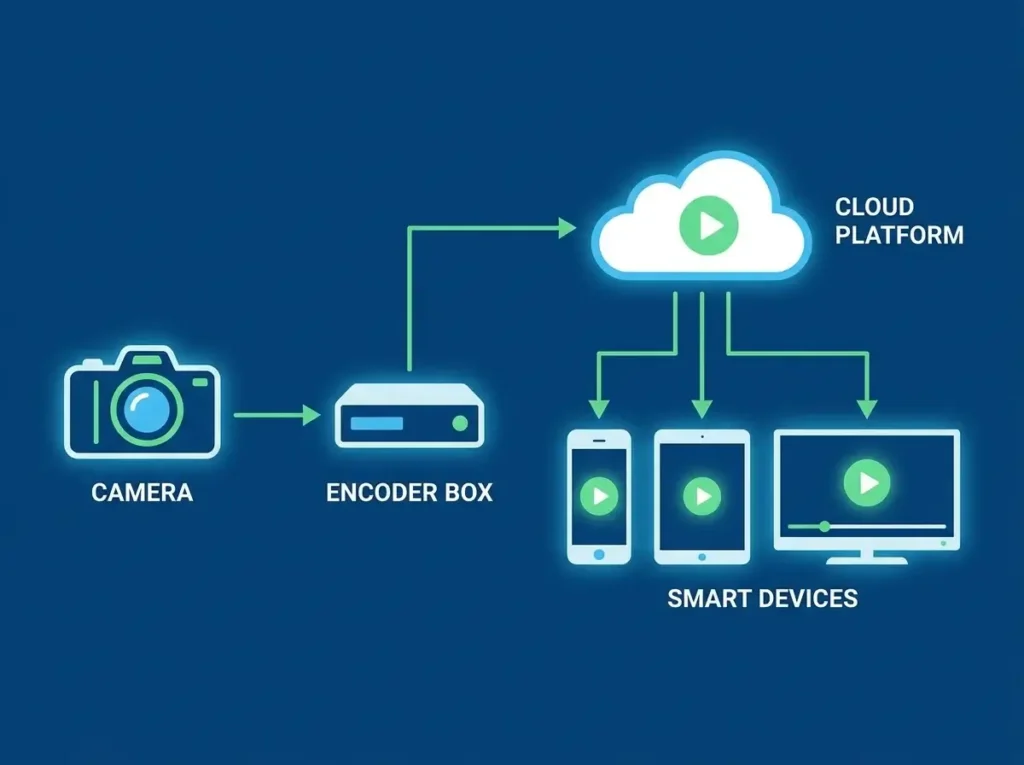
Furthermore, cloud-hybrid encoding is becoming standard. Instead of buying massive multi-channel racks, broadcasters will use a single on-premise encoder to push a pristine SRT feed to a cloud server (like AWS). The cloud server will then transcode the video into various bitrates and distribute it globally, drastically reducing local hardware costs.
Glossary of IPTV Encoding Terms
Understanding technical jargon is essential when researching your next IPTV encoder box purchase.
- Bitrate: The amount of data processed per second, usually measured in Kbps or Mbps. Higher bitrate equals higher quality but requires faster internet.
- Codec: A software algorithm (like H.264) used to compress and decompress digital video.
- Latency: The time delay between when a camera captures a frame and when the viewer sees it on their screen.
- MPEG-TS (Transport Stream): A standard container format for transmitting video and audio data over IP networks.
- Multicast: A network delivery method where a single video stream is sent to a network switch, which then copies and distributes it to multiple viewers locally.
- Transcoding: The process of taking a compressed video stream and converting it into a different format, resolution, or bitrate.
20 Frequently Asked Questions (FAQs)
1. What is an IPTV encoder box?
It is a hardware device that captures raw video from a camera, compresses it using a codec like H.264 or H.265, and transmits it over an IP network.
2. What is the difference between an encoder and a decoder?
An encoder compresses video and sends it to a network. A decoder receives the network stream, decompresses it, and displays it on a television screen.
3. Do I need an HDMI or SDI encoder?
Use an HDMI encoder for consumer cameras and short cable runs. Use an SDI encoder for professional broadcast environments requiring cable runs over 50 feet.
4. What is H.265 (HEVC)?
H.265 is a high-efficiency video codec that provides the same visual quality as H.264 while utilizing 50% less internet bandwidth, making it ideal for 4K streaming.
5. Can I use OBS Studio instead of a hardware encoder?
Yes, but OBS runs on a PC and is prone to software crashes and OS interruptions. Hardware encoders are dedicated appliances built for 24/7 reliability.
6. What upload speed do I need to stream in 1080p?
For a stable 1080p stream at 60fps, you need a dedicated upload speed of at least 10 Mbps to provide a safe buffer above your 6 Mbps encoder bitrate.
7. What is the SRT protocol?
Secure Reliable Transport (SRT) is a modern streaming protocol that recovers lost data packets in real-time, offering ultra-low latency over unstable internet connections.
8. Why is my live stream buffering?
Your encoder’s bitrate is likely set too high for your internet upload speed. Lower your video bitrate in the encoder’s configuration dashboard by 20%.
9. Can an encoder push to multiple destinations?
Yes. Most modern hardware encoders support multi-protocol output, allowing you to stream to a private IPTV server and YouTube simultaneously.
10. What does CBR mean?
Constant Bitrate (CBR) forces the encoder to output data at a steady, unchanging rate, which is the safest and most reliable setting for live streaming.
11. How do I fix audio out of sync?
Ensure the audio sampling rate on your camera (e.g., 48kHz) perfectly matches the audio sampling rate selected in your encoder’s web interface.
12. Can a VPN affect my encoder?
Yes. If your encoder runs through a VPN router, the encryption process will introduce latency and reduce your maximum available upload bandwidth.
13. What is an M3U playlist?
An M3U is a text file format used to point media players to the IP addresses of your streaming encoder or IPTV server channels.
14. What is UDP Multicast?
It is a network protocol used in closed local networks (like hotels) that allows a single stream from an encoder to be viewed by hundreds of screens without using extra bandwidth.
15. Does the encoder record video?
Some modern encoder boxes feature a USB port or SD card slot that allows you to record the compressed MP4 file locally while streaming it to the internet.
16. What is a 4K IPTV encoder box ?
It is an encoder equipped with advanced processing chips capable of capturing and compressing ultra-high-definition video resolutions (3840 x 2160).
17. How do I access the iptv encoder box settings?
You type the encoder’s specific local IP address into a web browser on a computer connected to the same router to access the graphical user interface.
18. What is IGMP Snooping?
It is a network switch feature required when using Multicast IPTV. It ensures video data is only sent to devices that ask for it, preventing network flooding.
19. Why does my encoder get so hot?
Compressing video requires massive processing power. Ensure your encoder is placed in a well-ventilated area, away from direct sunlight, to prevent thermal throttling.
20. Where can I buy reliable IPTV streaming hardware?
You should purchase enterprise-grade hardware from certified system integrators. Reach out via our Contact Us page for recommendations on professional broadcast equipment.
Conclusion
Mastering the mechanics of an IPTV encoder box is the absolute most critical skill for anyone looking to build a professional streaming network in 2026. These powerful hardware appliances serve as the beating heart of your broadcast, dictating the ultimate visual quality, latency, and reliability of your stream.
By understanding the vital differences between HDMI and SDI inputs, and by adopting modern compression technologies like H.265 and the SRT protocol, you can deliver flawless video to global audiences. Always prioritize network stability, hardwire your connections, and configure your bitrates strictly according to your available upload bandwidth using Constant Bitrate (CBR).
Whether you are streaming a weekly church service, managing a hotel network, or operating a global content distribution system, deploying the correct encoding hardware is the foundation of your success.
Ready to elevate your streaming infrastructure? VisitIPTV Reseller TVor contact our engineering team on WhatsApp at +44 7853 146902 for expert configuration advice and premium IPTV services. Read moreAbout Usand start broadcasting like a professional today.