Navigating the modern streaming landscape requires technical knowledge and reliable hardware. This comprehensive 2026 guide explains everything you need to know about choosing a premium 4K IPTV provider, optimizing your internet network, and configuring top-tier applications for buffer-free viewing.
Table of Contents
1. Introduction
The global shift toward internet-based home entertainment has reached new heights in 2026. Traditional cable television is rapidly losing ground to more affordable, flexible, and feature-rich digital streaming solutions. For enthusiasts demanding the absolute highest visual quality, upgrading to a premium 4K IPTV subscription has become the ultimate cord-cutting milestone.
However, the streaming market is heavily saturated with low-tier resellers making false technical claims. Differentiating a genuinely robust 4K IPTV provider from a highly compressed, unstable service requires a deep understanding of broadcasting technology. Consumers demand authentic Ultra HD resolution, flawless live sports rendering, and highly responsive customer support.
This expert-level guide is engineered to be your definitive roadmap through the streaming industry. We will thoroughly explore video codecs, evaluate subscription models, and provide step-by-step setup tutorials to ensure your home theater operates flawlessly.

2. What Is 4K IPTV?
Direct Answer: 4K IPTV is an advanced digital broadcasting service that delivers ultra-high-definition television programming directly over a broadband internet connection instead of traditional terrestrial or satellite infrastructure.
Definition: A 4K IPTV service streams visual media at a precise resolution of 3840 x 2160 pixels. This technology provides exactly four times the visual detail and pixel density of standard 1080p Full HD [1].
This service grants users unrestricted access to thousands of live international channels, premium sports networks, and massive video-on-demand (VOD) libraries. Viewers access this global content network via smart devices running dedicated media player applications. By bypassing localized cable networks, users eliminate geographical broadcasting restrictions and expensive hardware rentals entirely.
3. How Does 4K IPTV Work?
Direct Answer: A 4K IPTV service functions by capturing raw video feeds, compressing them via advanced digital codecs, and pushing those data packets to your specific IP address via Content Delivery Networks (CDNs) [1].
Unlike legacy broadcasting that blindly transmits all channels simultaneously, IPTV operates as a dynamic two-way data request system. When you select a movie or live sports channel on your app, your device pings the provider’s nearest edge server [1]. The server instantly packetizes the video stream and sends it back to your local media player for real-time decoding.
Because the infrastructure only transmits the exact channel you are currently watching, the system is highly bandwidth-efficient. However, this absolute reliance on continuous real-time data transfer means that a highly stable internet connection is mandatory for success.
4. Benefits of 4K IPTV
Direct Answer: Securing a premium 4K IPTV subscription provides unparalleled visual clarity, massive financial savings, complete hardware independence, and a vast global content library.
The most immediate and striking benefit is the breathtaking visual clarity for cinematic releases and live events. A top-tier 4K IPTV provider delivers sports broadcasts at 60 frames per second (fps), ensuring fast-moving action remains perfectly fluid. Furthermore, users routinely save hundreds of dollars annually by cutting overpriced cable contracts and hidden broadcast surcharges.
Hardware independence gives you absolute freedom over how and where you consume media. You can seamlessly switch between your living room smart TV, your laptop on a business trip, or your smartphone during a commute.
5. 4K IPTV vs HD IPTV
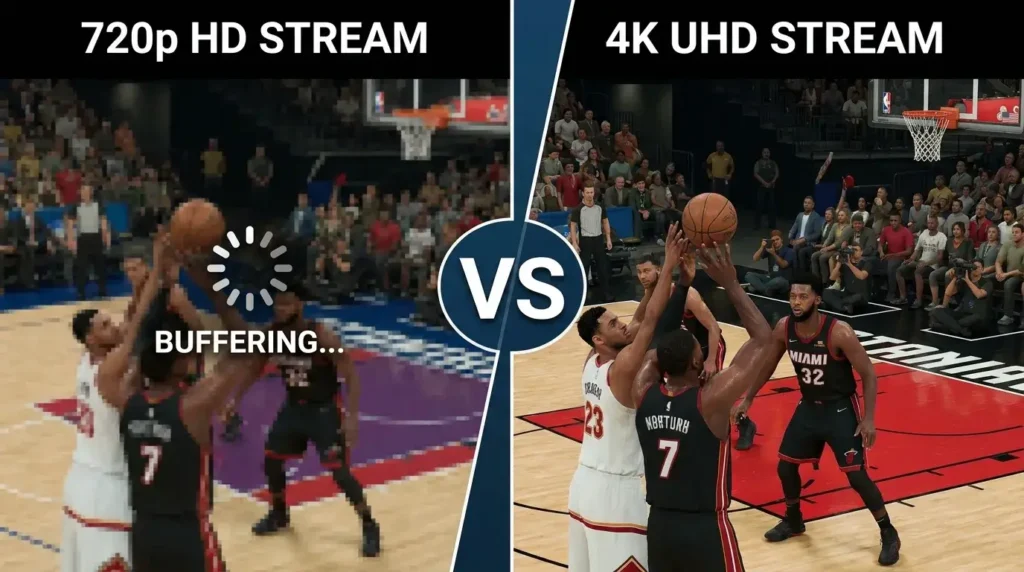
Direct Answer: The primary distinction between 4K IPTV and HD IPTV is total pixel density; 4K offers over 8.2 million pixels compared to HD’s 2 million, resulting in vastly superior sharpness and texture detail.
Standard HD streams often appear blurry, pixelated, or washed out on modern televisions larger than 55 inches. In contrast, an authentic 4K resolution maintains incredible depth and lifelike clarity regardless of your panel’s massive size. Upgrading to a 4K IPTV service fundamentally transforms your living room into a commercial-grade home theater.
Comparison Table: 4K IPTV vs HD IPTV
| Feature | HD IPTV (1080p) | 4K IPTV (2160p) |
| Pixel Resolution | 1920 x 1080 | 3840 x 2160 |
| Total Pixel Count | ~2.07 Million | ~8.29 Million |
| Min. Internet Speed | 15 – 20 Mbps | 30 – 50 Mbps |
| Visual Sharpness | Moderate clarity | Exceptionally crisp |
| Ideal Screen Size | Under 50 inches | 55 inches and above |
6. Internet Speed Required for 4K IPTV
Direct Answer: To stream 4K IPTV without buffering, you require a minimum dedicated downstream internet speed of 30 Mbps, though experts highly recommend 50 Mbps or higher for total stability [2].
Ultra HD streaming demands massive data transfers to maintain visual integrity and high frame rates simultaneously [2]. If your internet speed drops below the required threshold, your media player will instantly stall and buffer. It is crucial to remember that this high speed must be available directly at the streaming device, not just at the router.
Household network congestion heavily impacts your daily viewing experience. If family members are gaming online or downloading heavy files, your 4K stream will suffer from severe packet loss. Hardwiring your television or streaming box via an Ethernet cable is always the safest option for flawless performance [2].
7. HEVC (H.265) vs H.264
Direct Answer: HEVC (H.265) is a highly advanced video compression standard that requires 50% less bandwidth to deliver the same stunning visual quality as the older H.264 codec [2].
Understanding video codecs is vital when selecting a premium 4K IPTV provider in 2026. The legacy H.264 codec is incredibly inefficient for ultra-high-definition video, requiring massive internet speeds to prevent macroblocking and pixelation [2]. Conversely, an HEVC-enabled provider can easily deliver pristine 4K quality over a standard broadband connection.
The streaming industry is also rapidly adopting the AV1 codec, which offers even better data compression than HEVC [1]. However, AV1 requires modern hardware decoding capabilities to function properly [1]. Always ensure your streaming device supports these advanced codecs before purchasing a premium subscription.
Comparison Table: HEVC vs H.264 vs AV1
| Codec | Compression Efficiency | Bandwidth Needed for 4K | Hardware Support |
| H.264 (AVC) | Standard | High (35+ Mbps) | Universal |
| H.265 (HEVC) | Excellent | Moderate (15-25 Mbps) | Broad (Most modern devices) |
| AV1 | Superior | Low (10-15 Mbps) | Emerging (Newer devices) |

8. HDR vs SDR
Direct Answer: High Dynamic Range (HDR) significantly improves a 4K IPTV stream by vastly expanding the contrast ratio and color palette, resulting in a much more lifelike image compared to Standard Dynamic Range (SDR) [2].
Resolution dictates how many pixels are on your screen, but HDR dictates the precise quality of those individual pixels. A premium 4K IPTV service offering HDR10 or Dolby Vision content will display brighter highlight details and significantly deeper blacks [2]. This technology is particularly stunning during dark cinematic movie scenes or brightly lit stadium sports broadcasts.
To fully experience this incredible visual enhancement, both your streaming device and your television panel must explicitly support HDR processing.
Comparison Table: HDR vs SDR
| Feature | SDR (Standard) | HDR (High Dynamic Range) |
| Color Depth | 8-bit (16.7 million colors) | 10-bit to 12-bit (1+ billion colors) |
| Contrast Range | Limited | High (Brilliant whites, true blacks) |
| Visual Realism | Moderate | Highly lifelike and vibrant |
| Requirements | Any standard TV | HDR-compatible display required |
9. Best Devices for 4K IPTV
Direct Answer: The best devices for 4K IPTV streaming include the Nvidia Shield TV Pro, the Amazon Fire TV Stick 4K Max, and the Apple TV 4K, due to their powerful processors and advanced codec support [2].
Your chosen hardware dictates your entire user interface speed, channel zapping time, and overall streaming stability. While cheap, generic Android boxes flood the market, they routinely overheat and crash when attempting to process heavy 4K video feeds. Investing in a premium streaming device guarantees a flawless, cable-like television experience.
The Nvidia Shield TV Pro remains the undisputed king of Android streaming due to its AI upscaling capabilities and robust RAM. The Fire TV Stick 4K Max is the most cost-effective option for budget-conscious users, while the Apple TV 4K provides a highly secure, ad-free ecosystem.
Comparison Table: Firestick vs Android TV vs Apple TV
| Device | Operating System | Top Feature | Best Suited For |
| Firestick 4K Max | Fire OS | Affordability | Budget cord-cutters |
| Nvidia Shield TV | Android TV | AI Upscaling | Home theater enthusiasts |
| Apple TV 4K | tvOS | Premium UI | Apple ecosystem users |
10. Firestick 4K Setup Guide
Direct Answer: Setting up a Firestick IPTV connection requires enabling Developer Options and sideloading your preferred media player using the official Downloader application.
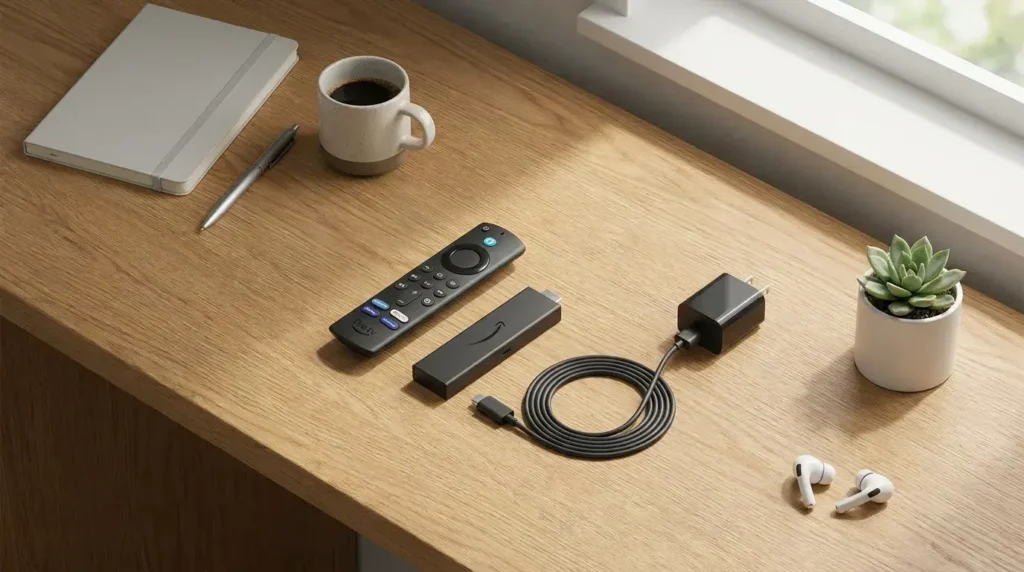
Because Amazon runs a proprietary operating system, many elite third-party IPTV apps are not hosted in the standard Amazon Appstore. Follow these chronological steps to properly configure your device.
Step-by-Step Setup:
- Navigate to your Firestick search bar and install the official orange Downloader app.
- Go to Settings > My Fire TV > Developer Options, and turn ON “Install unknown apps” specifically for Downloader. (Note: If Developer Options is hidden, click “About” and click your device name 7 times rapidly to reveal it).
- Open Downloader, enter the direct APK URL for your chosen player (like TiviMate or Smarters), click “Go,” and install the file.
11. Android TV & Google TV Setup
Direct Answer: Configuring Android TV IPTV or Google TV requires zero sideloading; users can simply download premium media players directly from the official Google Play Store.
Devices like the Nvidia Shield, Chromecast with Google TV, and modern Sony Bravia televisions provide the easiest and most secure setup process. The open nature of the Android ecosystem ensures that top-tier apps receive rapid software updates.
Step-by-Step Setup:
- Navigate to the Google Play Store on your television’s home screen.
- Use the search function to locate highly rated apps like “TiviMate” or “IPTV Smarters Pro.”
- Click install, launch the application, and carefully enter your Xtream Codes API login credentials provided by your service.
12. Apple TV Setup
Direct Answer: Apple TV IPTV setup involves downloading certified media players like IPTVX, iPlayTV, or IPTV Smarters directly from the secure Apple tvOS App Store [2].
The Apple TV 4K features an incredibly powerful processor, ensuring rapid menu navigation and flawless 60fps video decoding. Because Apple maintains a strictly closed ecosystem, you never have to worry about malicious sideloaded APK files or intrusive advertising.
Step-by-Step Setup:
- Open the App Store on your Apple TV home screen.
- Search for “IPTV Smarters” or the premium “IPTVX” application and download it.
- Open the app, select the Xtream Codes login method, and input your provider’s Server URL, username, and password.
13. Smart TV Setup
Direct Answer: Setting up Smart TV IPTV on Samsung (Tizen) or LG (WebOS) panels requires downloading native portal apps like IBO Player or Smarters Player Lite and syncing them via a web browser.
While utilizing your television’s built-in operating system removes the need for external HDMI dongles, native smart TV apps are often less powerful than dedicated Android applications.
Step-by-Step Setup:
- Open the native app store on your Samsung or LG television and install “IBO Player” or “Set IPTV.”
- Launch the application to reveal a unique MAC Address displayed on your television screen.
- Visit the app developer’s official website on your computer, enter the MAC Address, and paste your provider’s M3U playlist link to sync your channels remotely.
14. IPTV Smarters Setup
Direct Answer: IPTV Smarters Pro is a highly versatile, folder-based media player that perfectly organizes your live TV and VOD libraries using the Xtream Codes API connection method.
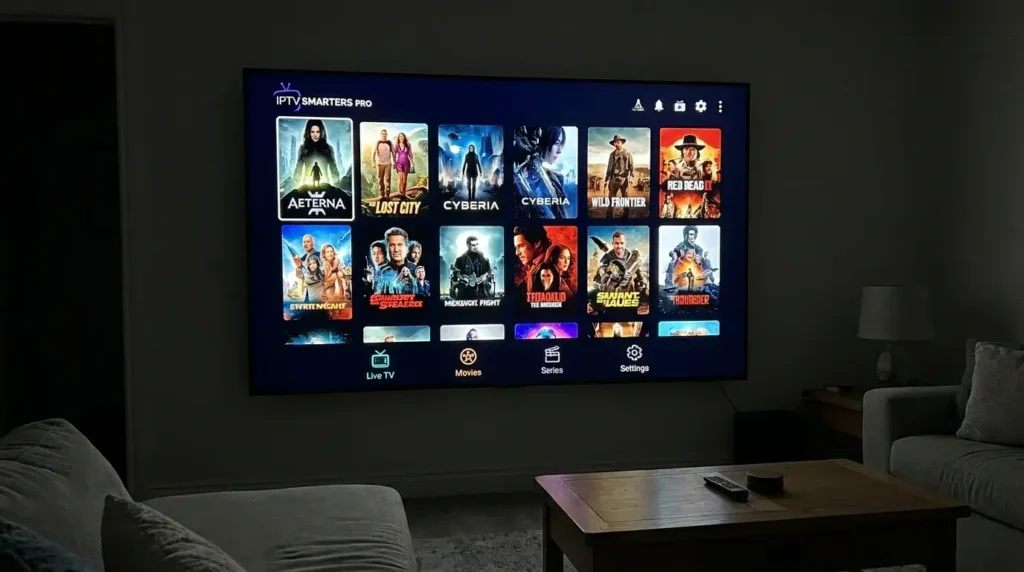
This application is widely considered the industry standard for beginners due to its intuitive, highly visual interface. It categorizes thousands of channels into distinct folders, allowing users to rapidly find sports, movies, and international news without endless scrolling.
To configure IPTV Smarters, launch the application and select “Login with Xtream Codes API.” Enter any profile name in the first box, followed by your provided Username, Password, and Server URL, then click “Add User” to instantly sync your media.
Comparison Table: IPTV Smarters vs TiviMate
| Feature | IPTV Smarters Pro | TiviMate (Premium) |
| Interface Style | Folder/Category based | Traditional Cable EPG Grid |
| Supported Devices | Universal (Apple, PC, Android) | Android & Fire OS Only |
| Channel Zapping | Moderate Speed | Lightning Fast |
| Target Audience | Beginners & Multi-device users | Advanced Android cord-cutters |
15. TiviMate Setup
Direct Answer: TiviMate is the absolute gold standard media player for Android and Firestick users, offering a traditional cable-box EPG interface and lightning-fast 4K streaming.
TiviMate completely transforms a generic streaming stick into a premium home theater hub. It boasts incredibly fast channel zapping speeds, allowing you to flip through live sports effortlessly without enduring frustrating loading wheels.
To set up TiviMate, open the app, click “Add Playlist,” and select “Xtream Codes.” Upgrading to TiviMate Premium is highly recommended, as it unlocks powerful features like Multi-View (picture-in-picture), allowing sports fans to watch up to four live matches simultaneously.
16. M3U vs Xtream Codes
Direct Answer: Xtream Codes is a dynamic API login method that preserves your device’s memory, making it vastly superior to using an outdated, text-heavy M3U playlist link [4].
When you buy 4K IPTV access, your provider will typically email you two distinct connection methods. An M3U link is a massively long web URL containing your entire raw channel directory. Using an M3U forces your device to download heavy text files directly into its RAM, frequently causing menu lag and app crashes.
Conversely, the Xtream Codes API consists of a clean Server URL, a Username, and a Password. This protocol queries the server dynamically upon request [4]. This dynamic fetching preserves your hardware’s processing power, perfectly organizes VOD categories, and ensures rapid EPG synchronization.
17. How to Choose the Best 4K IPTV Service
Direct Answer: Selecting the best 4K IPTV service requires evaluating the provider’s server stability, anti-freeze technology, customer support responsiveness, and authentic UHD channel offerings [2, 4].
The internet is flooded with low-tier resellers offering cheap, unstable servers that inevitably collapse during weekend football matches [4]. You must look past inflated marketing claims and demand verified technical standards. Ensure the provider uses active load-balancing CDNs to automatically shift your stream to an uncrowded server node if traffic spikes [4].
Always utilize a free IPTV trial or a low-cost 48-hour pass to stress-test the service during peak evening hours [4]. If the live sports channels buffer during a trial, do not trust the provider with a long-term commitment.
Buying Checklist:
- [ ] Guaranteed 99.9% Uptime with anti-freeze routing [1, 4].
- [ ] Direct human customer support via WhatsApp or Live Chat.
- [ ] Xtream Codes API compatibility [4].
- [ ] Daily automated updates for the VOD library and EPG.
Comparison Table: Monthly vs Annual IPTV Plans
| Plan Type | Average Cost | Monthly Breakdown | Best Suited For |
| 1-Month Plan | $12 – $15 | $12 – $15 | Testing new providers safely. |
| 3-Month Plan | $30 – $40 | $10 – $13 | Seasonal sports fans. |
| 12-Month Plan | $70 – $90 | $5.80 – $7.50 | Long-term users seeking maximum value. |
Looking for a reliable 4K IPTV subscription with HD, Full HD, and Ultra HD streaming?
VisitIPTV Reseller TVor contact us on WhatsApp at +44 7853 146902 for expert guidance, fast activation, and premium IPTV plans.
18. Common Problems and Solutions
Direct Answer: The most frequent IPTV errors include “Authorization Failed” messages, audio sync issues, and blank EPG guides, all of which can be fixed quickly through application settings.
Authorization Failed: If your media player cannot verify your credentials, double-check your Xtream Codes API inputs for typos. The username and password fields are highly case-sensitive. Additionally, ensure your Server URL includes the exact port number (e.g., :8080) and the http:// prefix.
Audio Out of Sync: If dialogue plays slightly before or after the video, you are facing a codec decoding issue. Navigate into your IPTV app’s settings and change the default video player to an external engine like VLC Player, which processes complex audio codecs much more efficiently.
Blank EPG (No Guide Information): If your live channels load perfectly but the TV guide shows “No Information,” your app failed to sync. Navigate to your app’s settings and click “Update EPG” manually, or clear the application’s cache in your device settings.
19. Buffering Causes and Fixes
Direct Answer: Constant buffering is rarely the media player’s fault; it is typically caused by localized Wi-Fi interference, ISP speed throttling, or network bandwidth congestion [4, 5].
Wi-Fi Interference: Wireless signals are highly vulnerable to interference from concrete walls, microwaves, and neighboring networks. Always hardwire your streaming device directly to your router using a high-quality Cat6 Ethernet cable to guarantee absolute stability.
ISP Throttling: Many Internet Service Providers actively monitor streaming traffic and intentionally slow down your bandwidth during massive live sporting events. Cybersecurity experts highly recommend routing your connection through a premium Virtual Private Network (VPN) to encrypt your data and bypass ISP throttling completely.
Performance Optimization Checklist:
- [ ] Connect your streaming device via Ethernet cable.
- [ ] Ensure your downstream internet speed is above 50 Mbps [2].
- [ ] Activate a premium VPN during live PPV sports events.
- [ ] Clear the cache of your media player app weekly to free up RAM.
20. Expert Streaming Tips
Direct Answer: To maximize your 4K IPTV performance, experts recommend adjusting your router’s Quality of Service (QoS) settings and tweaking your television’s internal display modes [2].
Log into your home internet router and enable Quality of Service (QoS) to prioritize bandwidth specifically for your primary streaming device [2]. This ensures that if another family member starts downloading a massive file, your television will not lose the bandwidth required to render Ultra HD video.
Furthermore, optimize your television’s display settings for live broadcasting. Disable artificial “motion smoothing” effects, switch your panel to Cinema or Sports mode, and ensure your HDMI ports are explicitly set to “Enhanced” to accept high-bitrate 4K signals properly [2].
21. Frequently Asked Questions
1. What is 4K IPTV?
It is a digital streaming service that delivers ultra-high-definition television (3840 x 2160 resolution) directly over your internet connection, replacing traditional cable packages.
2. How much does a 4K IPTV subscription cost?
A premium, reliable service typically costs between $10 and $15 per month. Purchasing an annual plan can drop the monthly average to roughly $6 to $8.
3. Do I need a smart TV to use IPTV?
No. You can easily connect an external streaming device like an Amazon Firestick or an Android TV box to any older television featuring a standard HDMI port.
4. What internet speed do I need for 4K streaming?
To stream true, uncompressed 4K video without freezing, you need a stable, dedicated downstream connection of at least 30 to 50 Mbps directly at the device [2].
5. What is the safest way to buy 4K IPTV?
Secure credit card gateways and cryptocurrency (like Bitcoin) are the safest payment methods. Avoid sending money via unsecured, peer-to-peer cash apps.
6. Why is my stream buffering?
Buffering is usually caused by a slow local Wi-Fi connection, ISP network throttling, or bandwidth congestion [5]. Hardwire your device and restart your router to resolve this.
7. What are Xtream Codes?
Xtream Codes API is a fast, secure login method requiring a Server URL, Username, and Password [4]. It dynamically loads data and prevents device RAM crashing [4].
8. What is an M3U Playlist?
An M3U is a long text file link containing your entire channel directory. It is an older login method that often causes severe menu lag on streaming devices.
9. Can I share my subscription with a friend?
Standard base plans usually allow only one active connection at a time. Sharing your login while you are watching will cause the server to block your stream.
10. What is Catch-up TV?
Catch-up TV is a cloud-based DVR feature allowing you to rewind and watch previously broadcasted live events up to 72 hours after they originally aired.
11. Should I buy a “Lifetime” subscription?
No. High-quality server upkeep requires ongoing monthly costs. Providers offering lifetime access for a single flat fee are almost always executing an exit scam.
12. What is the best app for Android TV?
TiviMate Premium is universally considered the best application for Android TV and Firestick devices due to its incredibly fast navigation and cable-like EPG.
13. What is the best app for Apple users?
IPTV Smarters Pro and IPTVX are highly recommended for iPhones, iPads, and Apple TV users due to their versatility and intuitive folder-based interfaces.
14. Are there hidden fees?
Premium services operate on a transparent, flat-rate subscription model. There are no hidden hardware rental fees, broadcast surcharges, or pay-per-view costs.
15. Do I need a VPN to use 4K IPTV?
A VPN is highly recommended to encrypt your traffic, protect your digital privacy, and prevent Internet Service Providers from throttling your connection speeds.
16. How do I fix a blank EPG?
If your TV guide shows no information, navigate to your app’s settings and click “Update EPG” manually. Alternatively, clear the app’s cache and restart the hardware.
17. Do I need to buy a pre-loaded “IPTV Box”?
No. You do not need to buy specialized, expensive hardware from random resellers. Modern apps run perfectly on the Firestick, Smart TV, or Apple TV you already own.
18. Does my subscription include movies and TV shows?
Yes. A premium subscription includes an immense Video on Demand (VOD) library featuring thousands of movies and complete series, updated regularly.
19. How long does activation take?
Following a successful checkout, account activation is usually instant. Your login credentials are automatically sent to your email or WhatsApp within minutes.
20. How do I contact support if my stream drops?
The best providers offer direct human support. You can visit our Contact Us page or reach our technical team instantly via WhatsApp.
22. Conclusion
Transitioning to an internet-based television setup is the smartest, most cost-effective move you can make for your home entertainment in 2026. By carefully evaluating and selecting the best 4K IPTV provider, you unlock an unprecedented world of global live TV, exclusive ultra-high-definition sports, and massive cinematic libraries—all while saving hundreds of dollars compared to traditional cable contracts.
However, success lies entirely in choosing the right provider and optimizing your local home network. Always prioritize streaming services that offer robust, anti-freeze server technology, highly accurate automated EPGs, and genuine human support [4]. Ensure you optimize your setup by hardwiring your streaming devices via Ethernet, selecting top-tier apps like TiviMate or IPTV Smarters, and utilizing a secure VPN to prevent restrictive ISP throttling.
Do not settle for buffering streams and disorganized, highly compressed channel lists. Elevate your viewing experience today by making the switch to a truly professional, enterprise-grade streaming network.
Ready to build the ultimate home theater?
VisitIPTV Reseller TVor contact us directly on WhatsApp at +44 7853 146902 for expert recommendations, fast setup assistance, and premium 4K IPTV plans. Learn moreAbout Usand join the streaming revolution today!